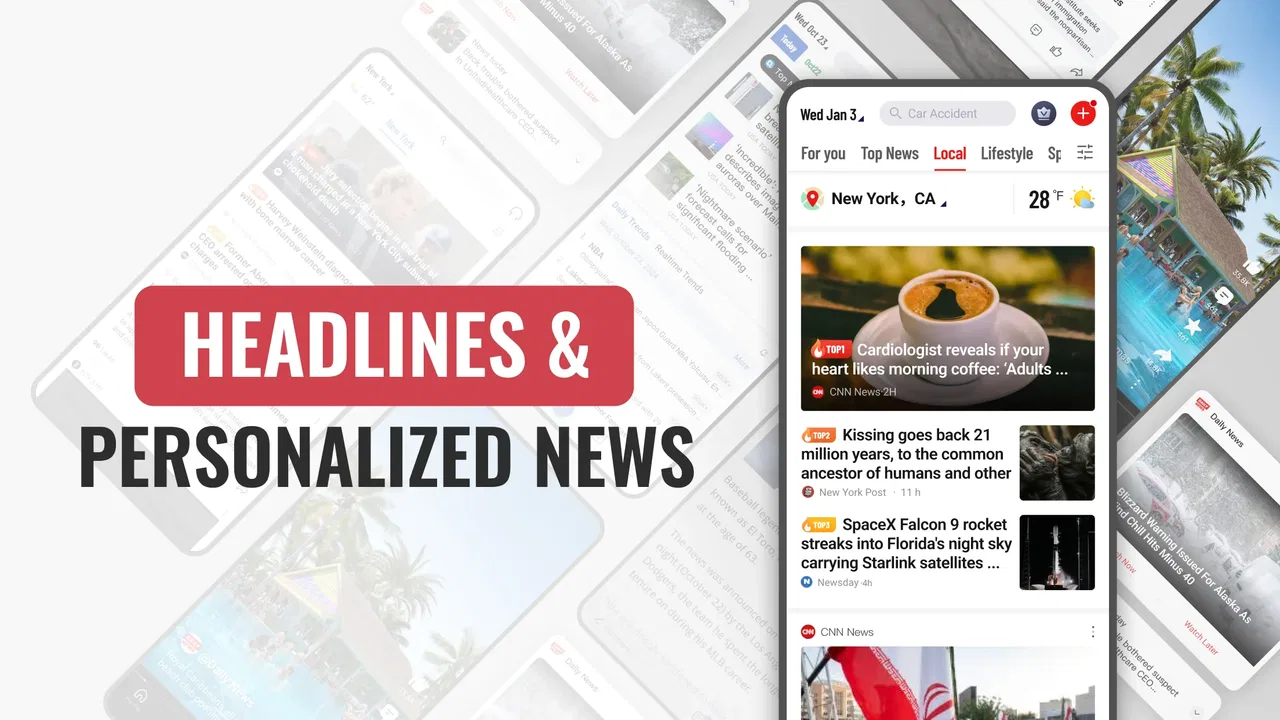
Daily News: Headlines & Alerts
- 4.3
- Rating
- 500.00K
- Installs
- Free
- Price

 Analysis by App-foxy
I tried Daily News: Headlines & Alerts as a straightforward way to keep up with current stories on a phone, and its appeal is easy to understand. It is a free news and magazines app from Apps Skyline, aimed at people who want a quick daily briefing instead of building a reading routine across several publishers. The experience is centered on getting headlines in front of you with as little effort as possible, which makes it particularly suitable for short checks during a commute, a lunch break, or the first few minutes after waking up.
My overall impression is that this is best viewed as a convenient starting point rather than a complete replacement for careful news reading. It can help me notice what deserves attention, but a headline feed is not the same thing as deep reporting. That distinction matters when deciding whether the app fits your habits. If you want a lightweight way to scan the day, it has a clear purpose. If you need extensive source comparison, long-form analysis, or a fully controlled offline reading library, I would look at more specialized alternatives.
How the app feels when the network is doing the work
The central strength of a news app like this appears when the phone has a reliable connection. Headlines can be refreshed as part of a daily routine, and the app’s value comes from reducing the number of steps between opening the phone and seeing what is happening. I found that useful because it changes news from a deliberate research task into something I can check in small gaps throughout the day.
You May Also Like

 Blood Strike: 2.5 Anniversary
Blood Strike’s Loadouts Turn Every Drop Into a Tactical Gamble
A close look at Blood Strike’s custom loadouts: how fast access to signature weapons reshapes its battle royale rhythm, rewards preparation, and narrows the gap between fights.

 Pandora - Music & Podcasts
Pandora’s Music Is Easy to Start, but Harder to Recover
Pandora’s strength is its low-effort path from a seed to a station. Its weak spot is how much confidence it asks you to place in connection, setup, and quiet recovery.

 8 Ball Pool
 Is Built on Rivalries, Rematches, and Routine
A close look at the rivalries, rematches, shared routines, and unanswered safety questions that turn a quick pool match into a persistent mobile community.

 Samsung Music
’s Quiet Strength Is Playing What You Already Own
Its reach comes less from spectacle than from dependable access to a personal library. That simplicity is both the app’s strongest retention engine and its ceiling.

 AccuWeather: Weather Radar
AccuWeather Review: A Quick, Clear Forecast for Everyday Decisions
For everyday plans, the best forecast is the one you can understand quickly. AccuWeather makes rain timing, radar, and local conditions easy to act on, with a few trade-offs.

 Hill Climb Racing
Why Hill Climb Racing Still Turns Crashes Into One More Run
A tiny car, a bumpy hill and one more upgrade: Hill Climb Racing keeps resurfacing because its simple chaos makes every near-miss feel personal.
More From Our News Desk
View All News


That convenience also explains why connectivity shapes the whole experience. A news feed depends on current information, so the app is most useful when it can reach its content normally. On a strong connection, the simple format works in its favor: I can glance at the available stories, decide which subject interests me, and move on without spending time navigating a crowded collection of menus.
There is a practical trade-off here. A personalized daily feed can make the first screen feel more relevant than a general news homepage, but personalization also means I should not assume that the first items represent the entire news landscape. I use the opening view as a prompt for further reading, not as a final summary of everything important. That is one of the most important habits to develop with this app.
For a person who checks news several times a day, I would recommend treating each visit as a quick orientation session. Look for the stories that affect your work, location, interests, or plans, then open the ones that genuinely need attention. This keeps the app from becoming a stream of headlines that I scroll through without remembering. The lighter the interaction, the more useful it becomes when I give each visit a small purpose.
Why a daily check works better than constant scrolling
The app’s “daily news” focus makes more sense when used at set moments rather than left open all day. I prefer checking once in the morning to understand the broad shape of the day, then returning later only when a developing subject matters to me. That approach avoids turning every spare minute into another round of headline checking.
A realistic example is a weekday commute. Before leaving, I can use the app to identify major stories and decide whether any deserve a closer look later. During the journey, the phone may move between strong and weak coverage, so I would not depend on the app as my only source of information. Instead, I use the connected moments to find the topics I want to follow and save my deeper reading for a more dependable connection or another reading tool.
This workflow is also useful for people who do not want to subscribe to several individual publisher apps. The usual alternative is to open a browser and visit multiple news sites, or to install separate apps from organizations you already trust. Those options can offer more direct editorial identity and deeper archives, but they also create more clutter. Daily News: Headlines & Alerts is more attractive when the priority is one simple place to begin.
Where mobile context helps and where it gets in the way
On a phone, speed and readability matter more than a large set of controls. I found the app’s purpose most convincing in situations where I had only a moment to spare: waiting for an appointment, standing in a queue, or checking the day before a meeting. The format encourages a quick decision about what matters now, which is more practical than opening a desktop-style news page full of competing elements.
It is also a reasonable fit for readers who do not want to maintain a complicated news system. Someone who has tried several feeds, newsletters, and browser bookmarks may appreciate a simpler starting point. The app can serve as a daily doorway into current events without requiring me to remember which source covers which topic.
However, mobile convenience has limits. Short sessions make it easy to skim without understanding context. If I am reading about a complex political decision, a financial change, or a developing emergency, I want more than a headline and a quick glance. In those cases, a publisher with detailed articles, a trusted newspaper app, or a browser search is usually better. The app is strongest at discovery and orientation, not at replacing every stage of research.
I would also be cautious about using any headline-focused tool while driving or doing work that requires concentration. Alerts and quick access are helpful only when I can check them safely. The best mobile workflow is one that fits naturally into an existing pause rather than interrupting tasks that need my full attention.
What happens when connectivity weakens or returns
The most important limitation is not a missing visual feature; it is the natural dependence of current news on a working connection. When coverage is unstable, the experience becomes less predictable. A headline feed can only be as current as the moment when it successfully retrieves new material, so I would not treat an older screen as proof that nothing has changed.
This is especially relevant on trains, in large buildings, in crowded public places, or while moving between networks. I make a point of checking important information again once the connection is stable. That simple habit prevents me from relying too heavily on a feed that may have been interrupted during refresh.
If the app does not load as expected, my first recovery step is practical rather than complicated: I check whether other connected apps are working, move to a stronger signal if possible, and try again later. I avoid repeatedly tapping refresh in a weak-coverage area because that adds frustration without improving the connection. For urgent information, I use a source that I already know is dependable in that situation instead of waiting on one news feed.
After connectivity returns, I would review the current headlines rather than assuming that the earlier view updated perfectly. This is a useful routine for anyone who travels frequently. A quick recheck after leaving a tunnel, arriving at work, or reconnecting to a stable home network helps restore confidence in what I am seeing.
A sensible recovery routine for interrupted sessions
My preferred recovery routine has three parts. First, I note the last point at which the app clearly loaded current content. Second, I stop treating the visible list as a live picture while the connection is unreliable. Third, I perform a fresh check when service returns and pay attention to stories that may have changed during the interruption.
This approach sounds obvious, but it is easy to forget when an app presents a familiar screen. A visible headline can feel current even when the phone has not successfully refreshed. The broader lesson is that a news app should support awareness, not create false certainty. Daily News: Headlines & Alerts is useful when I combine its convenience with that bit of personal judgment.
People who need uninterrupted access to previously retrieved articles should think carefully about their workflow. A dedicated reading app with clearly documented saved-content behavior may be more suitable for flights, remote areas, or long periods without service. I would not choose this app solely for travel where connectivity is expected to disappear, because its main value is tied to receiving current news at the time I check it.
Using the app without wasting attention or mobile data
Even when the app is free, using it thoughtfully still matters. I avoid opening it repeatedly just because I have a spare second. A few intentional checks are more useful than constant refreshing, and they reduce the amount of time I spend looking at stories that I will not read.
On mobile data, I prefer to check headlines when I have a stable connection and leave longer reading for a trusted network or a service designed for saved articles. I also keep my expectations realistic: current news is inherently changing, so a fresh session may involve retrieving new material again. The practical trade-off is between immediacy and control. The more current I want the feed to be, the more I should expect it to rely on connectivity.
A good data-conscious workflow is to use the app for selection rather than for endless browsing. I scan the available headlines, choose one or two subjects, and stop once I know what I want to investigate. This is more efficient than opening every item. It also makes the app feel less overwhelming, particularly for readers who are easily pulled into repetitive scrolling.
Families may appreciate that the app is rated for Everyone, but that should not be confused with every story being suitable for every moment. News can cover difficult or upsetting subjects even when an app is broadly accessible. I would still use personal judgment about when younger readers browse and whether an adult should help explain complicated stories.
Who gets the most value from this news feed
I think the app is a good match for casual readers who want a daily starting point, people who dislike juggling multiple news apps, and users who prefer a short mobile check over a long reading session. It is also useful for someone trying to build a regular awareness habit without committing to a large subscription or a complicated collection of sources.
The public response suggests that it has found an audience: Daily News: Headlines & Alerts carries an average rating of 4.5 from around a thousand ratings, and it has passed one hundred thousand installs. Those figures do not decide whether it will suit me, but they indicate that the basic approach is understandable to many users. The developer, Apps Skyline, has kept the identity focused on a simple news experience rather than presenting it as a broad productivity tool.
I would skip it if my main need is investigative depth, a carefully curated single-publication experience, or a robust reading archive for disconnected travel. I would also look elsewhere if I need advanced filtering that lets me build a highly specific source-by-source news dashboard. In those situations, a major newspaper app, an RSS reader, or a specialist aggregator may provide more control, even if it takes longer to configure.
Compared with a browser, this app can feel more direct because it gives me a dedicated place to begin. Compared with a publisher’s app, it may feel less anchored to one editorial voice. Compared with an RSS reader, it should be easier for a newcomer but potentially less flexible for someone who already knows exactly which sources and subjects they want. That is the clearest way to understand its position: it favors convenience over detailed customization.
Version, cost, and everyday practicality
The app is free, which removes the biggest barrier to trying it as a secondary news tool. It is currently at version 1.11.0 and supports Android 8.0 or later, so compatibility should be comfortable for many existing Android phones. I would still check the device’s available storage, connection habits, and notification preferences before making it part of a daily routine.
Because the app is free, I see it as something to test alongside my existing news sources rather than something that must immediately replace them. Give it a few ordinary days: one morning at home, one mobile session, and one check during a weaker-coverage situation. That reveals more than a single comfortable trial on a fast network.
The most useful setup decision is deciding what role the app will play. If it is my headline dashboard, I can keep visits short and use other sources for detail. If I expect it to be my complete news library, I am more likely to notice the limitations of a lightweight feed. Defining that role early makes the experience feel more consistent.
After spending time with it, I see connectivity as part of the app’s usefulness, not a minor technical detail. When the network is available, Daily News: Headlines & Alerts offers a convenient way to orient myself and find stories worth pursuing. When the connection is uncertain, I need to treat the visible feed cautiously and avoid depending on it for time-critical information.
My recommendation is therefore fairly specific. Try it if you want a free, accessible daily headline companion and are comfortable using it as the first step in your news routine. Keep a deeper source available for important subjects, and use a different tool when offline reading, archival access, or precise source control matters more than speed. For that focused role, Daily News: Headlines & Alerts is a practical addition to a phone, provided I remember that a quick connected briefing is not the same as complete reporting.
FAQs for Daily News: Headlines & Alerts
01What features does Daily News: Headlines & Alerts offer?
Daily News: Headlines & Alerts provides users with real-time news updates, personalized news feeds, and breaking news alerts. The app covers a wide range of categories, including politics, sports, technology, and entertainment. Additionally, it offers offline reading, allowing users to save articles for later viewing when they don't have internet access.
02Is Daily News: Headlines & Alerts free to use?
Daily News: Headlines & Alerts is available for free download on both Android and iOS platforms. While the app offers a substantial amount of content for free, there may be premium features available through in-app purchases or a subscription model, providing access to exclusive content or an ad-free experience.
03How does the app personalize news content for users?
The app uses an intelligent algorithm to personalize content based on user preferences and reading habits. Upon setup, users can select their preferred categories and topics, and the app will then curate a personalized news feed. Over time, the app learns from the user's interactions to further refine and tailor the content.
04Can I receive notifications for breaking news?
Yes, Daily News: Headlines & Alerts allows users to enable push notifications for breaking news. This feature ensures that users are immediately informed of significant events as they happen. Notification settings can be customized to focus on specific topics or to limit the frequency of alerts received.
05Is there an offline reading mode available?
Daily News: Headlines & Alerts includes an offline reading mode. This feature allows users to save articles and read them later without an internet connection. This is particularly useful for those who travel frequently or have limited access to data, ensuring they can stay updated at their convenience.
Pros
- User-friendly interface for easy navigation.
- Real-time alerts for breaking news.
- Wide range of news categories available.
- Customizable notification settings.
- Offline reading mode for convenience.
Cons
- Ads can be intrusive at times.
- Limited customization for news feed.
- Occasional delays in content updates.
- Requires a stable internet connection.
- Some articles lack in-depth analysis.

Daily News: Headlines & Alerts
Gallery